
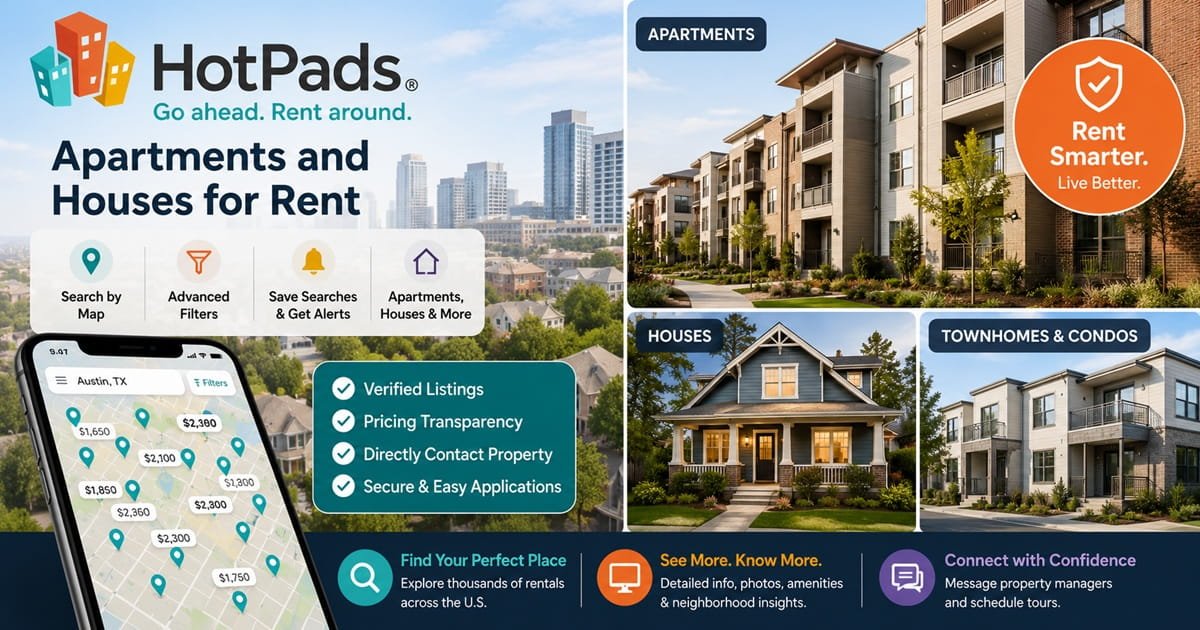
HotPads Apartments and Houses for Rent
HotPads – Go Ahead. Rent Around - Apartments and Houses for Rent
Finding a suitable rental home can be challenging, especially in competitive cities where desirable apartments disappear quickly. HotPads is designed to simplify this process by combining rental listings with an interactive map, detailed filters, property photographs, pricing information and direct contact options.
Using the tagline “Go ahead. Rent around,” HotPads helps renters search for apartments, houses, townhomes, condos, rooms and other long-term rental properties. Its homepage promotes verified listings, fraud-protection technology and real-time property updates.
HotPads is part of Zillow Group and shares rental-listing infrastructure with Zillow and Trulia. Zillow completed its acquisition of HotPads in December 2012, and HotPads remains one of Zillow Group’s real-estate brands.
HotPads at a Glance
| Category | Details |
|---|---|
| Platform type | Long-term rental search marketplace |
| Main property types | Apartments, houses, condos, townhomes, rooms and sublets |
| Primary market | United States |
| Search format | Map, list and hybrid views |
| Mobile availability | Android and iOS |
| Search alerts | Instant or daily alerts for matching rentals |
| Advanced filters | Price, beds, baths, pets, property type, square footage and keywords |
| Online applications | Available on participating listings |
| Standard reusable application fee | $35 for 30 days |
| Property-management tools | Zillow Rental Manager |
| Parent company | Zillow Group |
What Is HotPads?
HotPads is an online rental marketplace that helps prospective tenants discover available homes in specific cities, neighbourhoods or ZIP codes.
The platform is particularly known for its map-based interface. Instead of browsing only a conventional list, renters can see where each available property is located and compare nearby options without repeatedly opening separate search pages.
HotPads allows users to search for apartments and rental houses, save properties, create alerts and share listings with friends or family members.
HotPads is mainly intended for people looking for residential leases rather than short holiday stays. Most listings are apartments, houses and rooms offered on monthly or annual rental terms, although individual lease conditions are determined by the landlord or property manager.
What Types of Properties Can You Find on HotPads?
Apartments for Rent
Apartments represent a major part of the HotPads marketplace. Listings may include units in:
-
Large apartment communities
-
Small residential buildings
-
Duplexes and triplexes
-
Converted houses
-
High-rise developments
-
Student-housing communities
-
Senior-housing communities
-
Income-restricted developments
Each listing can contain information such as the monthly rent, number of bedrooms, number of bathrooms, square footage, amenities, pet policy, available date and property-management contact details.
Houses for Rent
HotPads also lists detached and semi-detached houses.
Rental houses may be suitable for families, roommates or tenants seeking:
-
Additional bedrooms
-
Private gardens or yards
-
Garages
-
Driveways
-
More storage
-
Greater privacy
-
Pet-friendly space
-
A quieter residential setting
House renters should examine responsibility for lawn care, snow removal, utilities and maintenance because these costs may not be included in the advertised rent.
Condos and Townhomes
A privately owned condo or townhome may offer building amenities similar to an apartment complex while providing a more residential atmosphere.
Before applying, check whether the property is subject to homeowners’ association rules concerning parking, pets, visitors, noise or shared facilities.
Rooms for Rent
Some HotPads searches include individual rooms in shared homes.
Room listings should clearly explain:
-
Whether the bathroom is private or shared
-
Which common areas are available
-
Whether utilities are included
-
How many other people live in the property
-
Whether couples are accepted
-
The minimum lease term
-
Guest and quiet-hour rules
A room rental is different from reserving an entire apartment. Read the description carefully before sending an application or deposit.
Sublets and Shorter-Term Rentals
HotPads may also display sublets, furnished homes and month-to-month rentals. Advanced filters and keyword searches can help users find descriptions containing terms such as “furnished,” “sublet” or “short term.”
How to Search for Rentals on HotPads
1. Enter a Location
Begin by entering a city, neighbourhood, ZIP code or address.
The search results appear on an interactive map, allowing you to see how listings are distributed throughout the selected area. This is helpful when comparing properties near workplaces, universities, public transportation or family members.
2. Set Your Price Range
Enter the minimum and maximum rent that fits your budget.
Do not use your entire housing budget for the advertised base rent. Additional costs can include:
-
Utilities
-
Parking
-
Pet rent
-
Renter’s insurance
-
Trash collection
-
Amenity fees
-
Internet
-
Administrative charges
-
Security deposits
HotPads introduced a total-price display for applicable listings to make required monthly costs easier to understand. Listings also include a Costs & Fees breakdown showing required, optional and variable charges.
3. Choose Bedrooms and Bathrooms
Select the minimum number of bedrooms and bathrooms required.
Roommates should discuss sleeping arrangements before searching. A cheaper two-bedroom property may not be suitable for three adults when the landlord limits occupancy or does not permit the living room to be used as a bedroom.
4. Apply Property-Type Filters
HotPads allows renters to narrow results by property type and rental category. Available options can include apartments, houses, condos, townhomes, rooms, sublets and other housing types.
5. Add Pet Requirements
Pet owners can filter results according to whether cats or dogs are permitted.
A “pet-friendly” property may still have restrictions involving:
-
Breed
-
Weight
-
Number of animals
-
Pet deposits
-
Non-refundable pet fees
-
Monthly pet rent
-
Vaccination records
-
Renter’s insurance
Contact the property manager before applying when the pet policy is missing or unclear.
6. Use Advanced Filters and Keywords
HotPads supports filters for square footage, rental type and other property characteristics. Its keyword search can locate descriptions containing terms such as “furnished,” “pool,” “garage,” “backyard” or “Section 8.”
Useful search terms include:
-
In-unit laundry
-
Utilities included
-
Central air
-
Private parking
-
No application fee
-
Wheelchair accessible
-
Income restricted
-
Student housing
-
Balcony
-
EV charging
-
Move-in special
Keyword results depend on the information supplied by the landlord. Always confirm important amenities directly.
Map, List and Hybrid Views
HotPads’ visual search design is one of its principal advantages.
The mobile app supports:
-
Map View: Focuses on the geographic position of listings.
-
List View: Displays rentals in a conventional scrolling format.
-
Hybrid View: Combines property cards with a map.
These options can help renters identify price differences between nearby neighbourhoods and quickly see which homes are close to important destinations.
The map location may sometimes be approximate for privacy or listing-management reasons. Confirm the full address before paying an application fee or arranging transportation.
HotPads Search Alerts
Competitive rentals can receive many enquiries shortly after being published. HotPads search alerts help users discover suitable properties without repeatedly running the same search.
After selecting the location and filters, renters can save the search and choose instant or daily notifications. The alert can later be viewed, edited or deleted from the account dashboard.
For the best results:
-
Create one tightly filtered search for ideal properties.
-
Create another broader search with slightly higher rent or nearby areas.
-
Enable instant alerts in competitive markets.
-
Contact suitable properties promptly.
-
Remove alerts after signing a lease.
HotPads says its recommended searches can notify users in real time when new apartments enter the market.
Saving and Sharing Properties
Users can save interesting homes to their favourites and return to them later.
This is useful when comparing:
-
Monthly rent
-
Total required fees
-
Number of bedrooms
-
Commute times
-
Parking
-
Pet policies
-
Laundry facilities
-
Lease length
-
Move-in dates
Listings can also be shared with partners, roommates, friends or family members. HotPads’ mobile and web tools support saved favourites and property sharing.
Create a shortlist rather than saving every acceptable property. A focused list makes it easier to compare costs and arrange tours.
Information Shown on HotPads Listings
The exact information varies, but a detailed listing may include:
-
Monthly rent
-
Required monthly fees
-
Deposits
-
Available date
-
Bedrooms and bathrooms
-
Square footage
-
Photographs
-
3D tours
-
Property description
-
Amenities
-
Pet policy
-
Parking
-
Laundry
-
Lease terms
-
Price comparison
-
Commute information
-
Nearby schools
-
Contact form
-
Application option
-
Listing age and update date
Some listings display how the asking rent compares with similar properties in the neighbourhood, city or ZIP code. They may also identify whether a property manager has completed applicable verification steps.
Pricing comparisons are estimates rather than guarantees that a rental is fairly priced. Condition, renovation quality, utilities, parking and precise location can significantly affect value.
How to Contact a Property on HotPads
A property page normally provides a contact form for sending a message to the owner, leasing agent or property manager.
Renters may be asked to provide:
-
Name
-
Email address
-
Phone number
-
Expected move-in date
-
Number of occupants
-
Pet details
-
Questions about the home
Some listings also include a telephone number or a link to the property-management company’s website.
A useful first message might ask:
-
Is the property still available?
-
What is the earliest move-in date?
-
What is the complete monthly price?
-
Which utilities are included?
-
What are the income and credit requirements?
-
Is a tour available?
-
How much is the application fee?
-
Are there pet or parking charges?
Avoid sending sensitive financial information through a basic enquiry form.
HotPads Online Rental Applications
Participating properties may allow renters to submit an online application through Zillow’s rental system.
The standard reusable application costs $35 and can be sent to an unlimited number of participating rentals during a 30-day period. Each adult applicant normally needs a separate application.
The application can include:
-
Personal and contact information
-
Residence history
-
Employment and income details
-
Credit report
-
Background check
-
Eviction-history search
-
Supporting documentation
HotPads’ help centre states that the application includes an Experian credit report and screening information involving criminal and eviction records, subject to modifications required by state and local laws.
Not every landlord accepts the Zillow application. Some properties use their own application provider and may charge a different fee.
Before paying, confirm:
-
The property is still available.
-
You meet the stated qualification criteria.
-
The manager accepts the application being offered.
-
You understand whether the fee is refundable.
-
You have toured or independently verified the property.
Total Monthly Price and Fee Transparency
The advertised rent may not represent the amount a tenant pays every month.
HotPads’ Costs & Fees breakdown can separate:
-
Base rent
-
Required monthly charges
-
Optional charges
-
Pet fees
-
Parking fees
-
Variable utilities
-
One-time move-in costs
Its newer total-price display includes required monthly fees while excluding optional services and variable usage-based charges. Availability of the total-price label can vary by location and by the information supplied by the housing provider.
Ask for a written move-in cost sheet showing:
-
First month’s rent
-
Security deposit
-
Application fee
-
Administrative fee
-
Holding deposit
-
Pet charges
-
Parking
-
Utility setup
-
Renter’s insurance
-
Prorated rent
Never rely only on the large monthly figure at the top of a listing.
Verified Listings and Fraud Protection
HotPads promotes verified listings, fraud-protection technology and real-time property updates. However, no online marketplace can eliminate every fraudulent or inaccurate advertisement.
The platform allows users to report an old, inaccurate or potentially fraudulent listing through the Report option on the property page.
Common Rental Scam Warning Signs
Be cautious when:
-
The rent is far below comparable homes.
-
The owner refuses to show the property.
-
You are asked to pay before viewing it.
-
Payment is requested through gift cards, cryptocurrency or wire transfer.
-
The person claims to be overseas and cannot meet.
-
The listing photos appear on another site with different contact details.
-
The manager pressures you to pay immediately.
-
The email address does not match the management company.
-
The property address cannot be verified.
-
The supposed landlord will not provide a written lease.
HotPads advises renters to verify listings and avoid paying before seeing a property, particularly during emergencies when housing demand may attract scammers.
HotPads Mobile App
The HotPads app is available through Apple’s App Store and Google Play.
Mobile features include:
-
Map-based searches
-
Rental alerts
-
Advanced filters
-
Favourite listings
-
Property sharing
-
Photos
-
Area information
-
Direct landlord enquiries
-
List, map and hybrid views
The Google Play listing was updated in May 2026 and continues to describe advanced filters, search alerts and keyword searching as central features.
The app can be useful when attending several property tours because saved listings, addresses and contact information remain accessible from one place.
HotPads and Zillow Rental Manager
Although renters search through HotPads, property owners and managers generally manage participating listings through Zillow Rental Manager.
HotPads moved its landlord tools to Zillow Rental Manager, which can distribute listings across Zillow, Trulia and HotPads.
Zillow Rental Manager also provides participating landlords with tools for:
-
Listing publication
-
Tenant screening
-
Applications
-
Digital leases
-
Tour coordination
-
Rent collection
-
Lead management
The services a particular landlord uses depend on the listing and location.
Is HotPads Free for Renters?
Searching properties, creating alerts, saving homes and contacting managers are generally available without a search subscription.
Costs may arise when you:
-
Submit an online rental application
-
Pay a landlord’s separate application fee
-
Purchase renter’s insurance
-
Pay a holding deposit
-
Sign a lease
-
Use optional payment methods
The reusable Zillow application currently costs $35 for 30 days, but independently managed properties may apply their own fees.
Never assume that payment of an application fee guarantees approval or reserves the property.
Advantages of Using HotPads
Interactive Map Search
The map interface makes it easier to compare rentals across streets and neighbourhoods.
Detailed Filters
Renters can narrow results according to price, bedrooms, bathrooms, pets, square footage, property type and keywords.
Fast Listing Alerts
Instant and daily alerts can help renters respond quickly when suitable homes become available.
Apartments and Houses in One Search
Users can compare multifamily apartments with individually managed houses, condos and townhomes.
Pricing Details
Costs & Fees breakdowns can reveal required and optional charges beyond base rent.
Zillow Group Rental Network
Integration with Zillow’s rental ecosystem gives renters access to participating applications, screening and payment tools.
Points to Consider
-
Some listings may be duplicated across Zillow, Trulia and HotPads.
-
Availability can change before a listing is removed.
-
Application processes differ by landlord.
-
A verified label does not replace an in-person tour and lease review.
-
Some properties provide incomplete fee or pet information.
-
Map locations may be approximate.
-
School ratings and market comparisons should not be the only basis for choosing a home.
-
Online applications do not guarantee acceptance.
Use HotPads as a discovery and comparison tool, but independently examine the property, landlord, costs and lease.
Tips for Finding a Good Rental Faster
Prepare Your Documents
Keep digital copies of:
-
Photo identification
-
Recent pay stubs
-
Employment letter
-
Bank statements when required
-
Previous landlord references
-
Pet records
-
Proof of renter’s insurance when requested
Do not send these documents until you have verified the property manager and application system.
Create Multiple Alerts
Set alerts for your preferred neighbourhood and nearby lower-cost areas.
Respond Quickly
Contact promising properties as soon as they appear, especially in competitive cities.
Tour the Property
Check water pressure, locks, windows, appliances, heating, cooling, noise and mobile reception.
Compare the Total Cost
Add required fees, utilities, insurance, parking and commuting expenses.
Read the Lease
Review the lease term, renewal process, late fees, maintenance duties, guest policy and early-termination conditions.
Document the Condition
Take dated photographs during move-in and submit a written inspection report.
Frequently Asked Questions
What is HotPads?
HotPads is a map-based rental marketplace for finding apartments, houses and other residential rentals. It is a Zillow Group brand.
Is HotPads the same as Zillow?
No. HotPads and Zillow are separate consumer brands, but both belong to Zillow Group and share parts of the Zillow rental network.
Can I find houses as well as apartments?
Yes. HotPads includes apartments, rental houses and other property categories.
Does HotPads have a mobile app?
Yes. HotPads offers applications for Android and Apple devices.
Can I receive alerts for new rentals?
Yes. Saved searches can send instant or daily notifications when matching rentals are listed.
How much does a HotPads rental application cost?
The reusable Zillow application offered on participating listings costs $35 and can be used for unlimited participating rentals during a 30-day period. Other landlords may use different application systems or fees.
Does HotPads check credit?
A participating online application can include an Experian credit report, background screening and eviction-history information. The landlord decides how the information is used, subject to applicable laws.
Are all HotPads listings verified?
HotPads uses verification and fraud-protection mechanisms, but renters should still independently verify the property, manager and payment instructions. Suspicious listings can be reported through the listing page.
Can landlords list directly on HotPads?
Rental owners are directed to Zillow Rental Manager, which distributes eligible listings to HotPads and other Zillow rental brands.
Does HotPads show the complete monthly cost?
All listings can include a Costs & Fees breakdown, while some also show a total monthly price containing required fixed monthly fees. Optional and usage-based expenses may remain separate.
Can I find pet-friendly properties?
Yes. HotPads includes pet filters, although renters should confirm deposits, monthly pet rent and animal restrictions with the property manager.
Final Thoughts
HotPads offers a practical way to search for apartments and houses through an interactive map instead of relying only on conventional listing pages.
Its advanced filters, keyword searches, saved favourites and real-time alerts can help renters identify suitable properties quickly. The Costs & Fees breakdown is also useful for understanding expenses beyond the advertised base rent.
However, finding a listing is only the beginning of the rental process. Renters should verify the property manager, tour the home, compare total costs, review qualification requirements and read the lease carefully before sending money.
Used thoughtfully, HotPads can make apartment and house hunting more organised, visual and efficient—helping renters compare neighbourhoods, respond to new listings and move closer to finding the right place to call home.
Most Reviews
Airlines

- October 08, 2026
Garuda Indonesia – Flights, Baggage, Cabins & Deals
Airlines

- October 06, 2026
Nok Air – Flights, Hyderabad–Bangkok and Deals
Hotels

- October 03, 2026
Closest Hotels to Walking Street Pattaya
Airlines

- September 29, 2026
China Southern Airlines 2026 – Flights, Deals, Baggage & India Routes
Airlines

- September 24, 2026
Air India Exclusive Deals 2026 – Promo Codes and Flight Deals
Airlines

- September 18, 2026
Saudia Holidays Exclusive Offers 2026 – Flight + Hotel Deals
Airlines

- September 16, 2026
Riyadh Air Saudi National Day Sale 2026 – Up to 50% OFF Flights
Hotels

- September 08, 2026
Etihad Holidays 2026: Deals, Packages & Booking
Airlines

- September 02, 2026
Egypt Visa for Indians - Types, Fees and Process
Airlines

- August 25, 2026